iOS 4.3 im Überblick

Seit dem gestrigen Mittwoch hängt iOS 4.3 in der Download-Pipeline. Die letzte Aktualisierung (iOS 4.2.1) spielten wir vor über drei Monaten (108 Tagen) ein. Das liegt, wenn man alle iPhone-Software-Updates seit der Erstveröffentlichung im Jahr 2007 mit einrechnet, absolut im Schnitt.

Hier ein paar Anmerkungen zu den Neuerungen dieses relativ umfangreichen Punkt-Updates.

iTunes Privatfreigabe
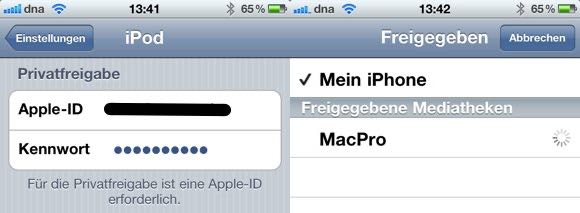
  • Nachdem die persönliche Apple-ID in den iTunes- sowie iOS-Einstellungen hinterlegt wurde, lässt sich auf die gesamte Bibliothek per mobilem Gerät zugreifen.
  • Dies ermöglicht im Heimnetzwerk nicht nur das Abspielen von Musik, Videos und Podcasts sondern auch die Nutzung der doppelten Wiedergabe-Geschwindigkeit (für Audio-Podcasts).
  • ‚Home Sharing‘ aktualisiert bei mir von den fern-abgespielten Titel (noch) keinen Zählerstand (‚Playcounts‘) und übernimmt auch keine dort abgegebenen Bewertungen.

JavaScript

Der SunSpider JavaScript Benchmark (weniger ist mehr), verbessert sich unter iOS 4.3 deutlich. Findet auch Wired.

  • iOS 4.3 (iPad) = 3359
  • iOS 4.2.1 (iPad) = 8151
  • iOS 4.3 (iPhone 4) = 4196
  • iOS 4.2.1 (iPhone 4) = 10338

Persönlicher Hotspot
IPhoneBlog de Hotspot
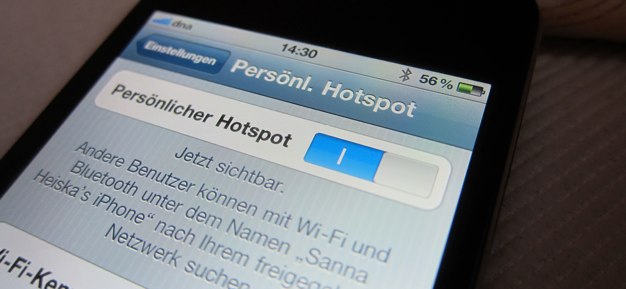
  • Bis zu fünf drei Geräte teilen sich über WiFi die UMTS-Verbindung vom iPhone 4.
  • Das Fscklog.com sammelt derzeit Erfahrungsberichte, welche Mobilfunkanbieter und Vertrags-Kombinationen (noch) Probleme bereiten.

AirPlay

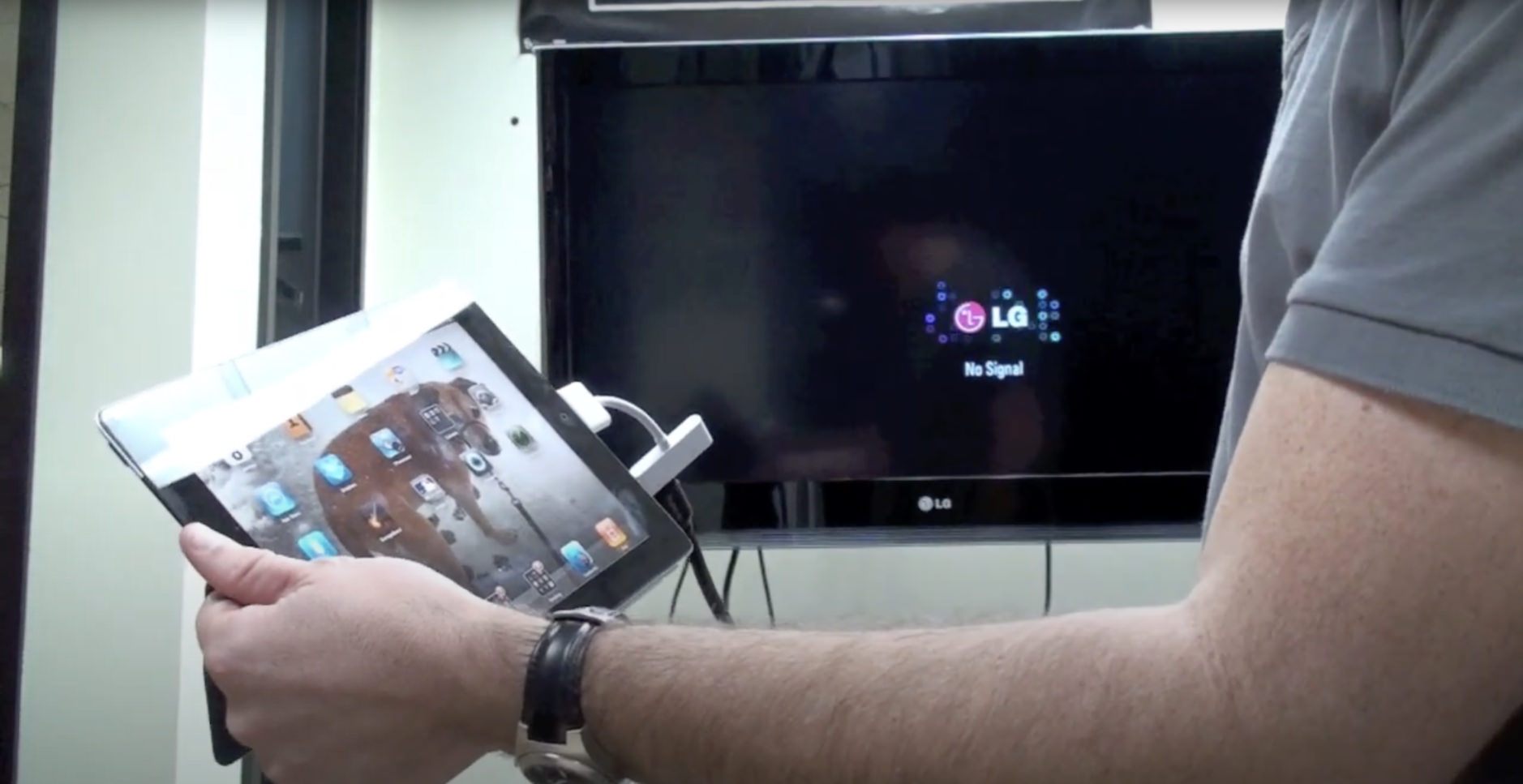
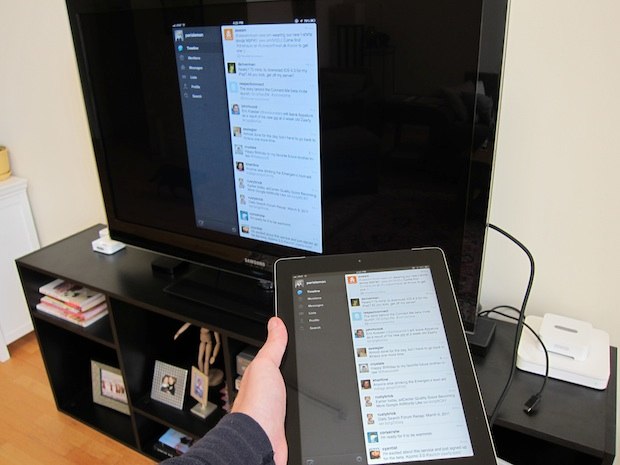
  • App-Store-Programme, selbst aufgenommene iPhone-Filme oder auch der Safari-Browser streamen ab sofort auch Videos an einen Apple TV (der zweiten Generation).
  • Entwickler können die drahtlose Weitergabe für ihre Programme unterdrücken.

Apple TV
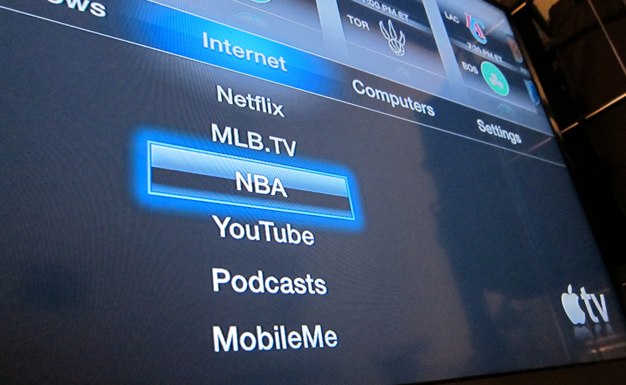
IPhoneBlog de NBA
  • Der Apple TV (2 Gen.) springt von Beta 3 (Release: 01. Februar 2011) ohne GM-Version direkt auf iOS 4.3.
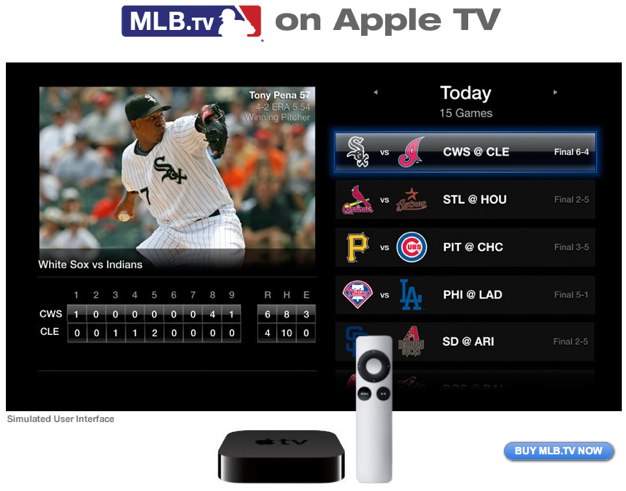
  • Größte Überraschung: Major League Baseball- + NBA-Live-Übertragungen mit (separat abzuschließendem) Monatsabo ($19.99 / $24.99).
  • Diese Menüpunkte tauchen erst bei der Eingabe eines US-iTunes-Kontos auf – (US-)Sportfans greifen sicherlich zu.
  • Ansonsten Kleinkram: Tastatur-Layout geändert / neue Diashow-Übergänge

Kleinkram

  • Das iPhone 3G, welches im Juni 2008 in Deutschland startete, fliegt offiziell mit dieser Aktualisierung aus dem Update-Zyklus.
  • Das ‚iPhone Configuration Utility‘ (Mac/PC) erhält ebenfalls einen gewohnten Sofware-Sprung (Version 3.3).
  • SMS-Nachrichtentöne rütteln der besseren Unterscheidung zuliebe neuerdings zweimal am Gerät.
  • SMS-Hinweise erfolgen auf Wunsch in einer zweiminütigen Wiederholschleife bis zu 10 Mal.
  • Die Klingelton-Einstellung verweist seine Nutzer mit einem „Kaufen-Sie-mehr-Töne“-Button zum mobilen iTunes Store.
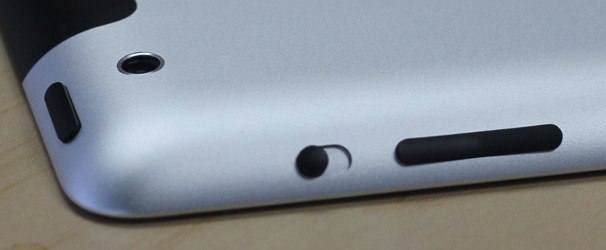
  • Der Hardware-Knopf am iPad lässt sich wahlweise als Display-Rotation und Stumm-Schalter konfigurieren.
  • Apples ’soziales Netzwerk‘ Ping ‚pusht‘ ab sofort Benachrichtigungen.
  • Ping lässt sich in den System-Einschränkungen bändigen.
  • In diesem Dokument sind die geschlossenen Sicherheitslücken festgehalten.
  • App-Store-Downloads lassen sich während des Herunterladens bereits löschen.
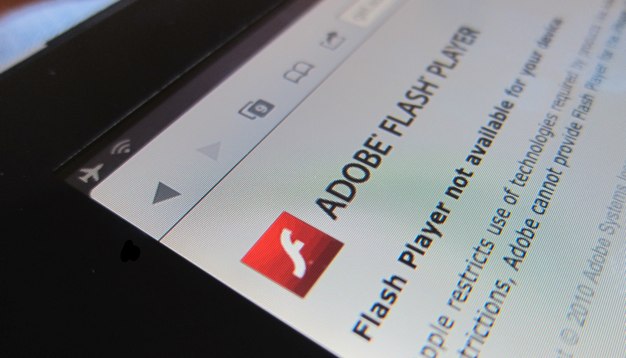
iPad-Reviews dieses Jahr mit weniger ‚Flash‘-Kritik

IPhoneBlog de Flash

Fun-Fakt: Vergleicht man die Vorab-Reviews der US-Presse zwischen der ersten und zweiten iPad-Generation, findet der fehlende Adobe-Flash-Support diesmal weitaus weniger Erwähnung. Im Jahr 2010 merkten 11 von 13 Artikel den ‚Mangel‘ an. Im Jahr 2011 sind es ‚lediglich‘ 6 von 13 Erstberichten.

2010

Ohne Erwähnung: Daring Fireball und Houston Chronicle.

Mit Erwähnung: All Things Digital, The New York Times, USA Today, Boing Boing, The Root, PCMag.com, Chicago Suntimes, Macworld, The Telegraph, CNet und Time.com.

2011

Ohne Erwähnung: Daring Fireball, Macworld.com, TechCrunch, The Daily, LaptopMag, The Root und Bloomberg.

Mit Erwähnung: All Things Digital, Engadget, The New York Times, SlashGear, USA Today und PCMag.

Dabei beziehe ich mich auf die Haupttexte, in denen der Autor überhaupt irgendeine Bemerkung zum Schlagwort ‚Flash‘ verzeichnet. Ich lege nicht meine Hand dafür ins Feuer, dass mit der oben abgebildeten Aufzählung alle Artikel abgedeckt sind, die von vorab bestückten Journalisten verfasst wurden – von Andy Ihnatko weiß ich beispielsweise, dass er seine ersten Erfahrungen als Freelancer im Jahr 2010 für mehrere Medien niedergeschrieben hat.

Auch eine tiefgründige Aussagekraft mag ich, diesen (von Apple) ‚ausgewählten‘ Medien, nicht zusprechen – geschweige denn mich mit der Frage quälen, ob dieses Browser-‚Detail‘ überhaupt in einem (Hardware-)Review zu berücksichtigen ist. Fairerweise muss man ebenso anmerken, dass bis auf Macworld.com alle ‚Kritiker‘ aus dem Jahr 2010 auch dieses Jahr erneut die fehlende Flash-Unterstützung bemängelten oder nicht (mehr) mit einem Vorab-Muster bedacht wurden.

Dennoch. All diesen Einschränkungen zum Trotz, fiel beim Schmökern auf, wie nebensächlich (oder bereits bekannt) der fehlende Flash-Support am iPad (und natürlich auch iPhone) zu sein scheint. Zumindest erachteten 6 der großen US-Medien, die dieses Jahr für ihre Leser das iPad mit einem frühen Testbericht versahen, diesen Fakt als nichts erwähnenswert.

Final Fantasy III mit Sprachunterstützung

IPhoneBlog de FinalFantasy

Final Fantasy III, ein Remake der Nintendo-DS-Version, erscheint noch diesen Monat im App Store. Dabei lässt sich zwischen acht Sprachen auswählen („Japanese, English, Italian, German, Spanish, Chinese + Traditional Chinese„), wie Square Enix in der letzten Nacht bekanntgab. Von dem Titel existieren mittlerweile schon unzählige ‚Hands-on‘-Videos (Teil 1/8) und Bildergalerien wie beispielsweise von der japanischen Videospiel-Zeitschrift Famitsu.

DirektFinal

[update] Presse-Embargo abgelaufen: Erste US-Reviews des iPad 2 stehen Online

Für die ausgewählte US-Presse, die in den letzten Tagen das iPad 2 unbeaufsichtigt unter die Lupe nehmen durfte, fällt in der vergangenen Nacht das Veröffentlichungs-Embargo. Hier sind ein paar ausgewählte Stimmen und die jeweiligen Verweise auf deren Reviews.

Daring Fireball

  • It is a refinement of the original iPad — an impressive one, in several ways, considering that it arrives just 11 months after the original.
  • The fact is, Apple got it right with the iPad 1 in almost every way, and the iPad 2 reflects that.
  • I found the white bezel distracting. With the black, the frame disappears from mind when you’re using the iPad. With the white, it always seemed like I was looking at a white frame around the screen.
  • For all practical concerns, the display is identical to last year’s iPad.
  • With these iOS devices, how it feels is what matters [performance wise]. In practice, the iPad 2 feels like the fastest iOS device I’ve ever used — faster in every way than the iPhone 4.
  • Every little thing on the iPad 2 feels more responsive. The Photos app is one example. With the same photo library on both iPads (consisting of several thousand images), it takes about two or three seconds for the iPad Photos app to be ready for use after a cold launch on my iPad 1. On the iPad 2, it’s ready almost instantly.
  • Last year’s iPad had 256 MB of RAM. The iPad 2 has 512. […] Those waiting for a gigabyte of RAM will need to keep waiting, however.
  • On the iPad 1, Guy’s demo app dropped below 60 fps with about 100 animated sprites; on the iPad 2, it didn’t drop below 60 fps until there were over 750 animated sprites.
  • And note: an iPad 2 wearing a Smart Cover is considerably thinner than a naked original iPad.
  • Smart Covers are so cool that I can imagine iPad 1 owners — who think they’re happy to stick with what they’ve got — changing their minds and deciding to upgrade upon seeing Smart Covers in person.
  • […] no matter how much you love your iPad, you’re not going to use it as your camcorder.
  • As far as I can tell, the iPad 2 gets identical battery life to the iPad 1.
  • The iPad 2 is a solid second-generation iteration. Like last year’s iPhone 4, it seems like technology from the near future.

Macworld.com

IPhoneBlog de Macworld
  • Those competitors will now face a new iteration of the iPad, one that’s faster, smaller, and lighter than the model introduced a year ago—all while retaining the $499 entry price that has proven all but impossible for Apple’s competitors to match. It’s almost unfair.
  • The iPad 2 eschews the frame, opting for a single surface that much more rapidly transitions from curve to flat. […] The feel is quite different, a bit like reverting the flat surfaces of the iPhone 4 to the curved back of an iPhone 3G.
  • Apple seems to be differentiating between the two by referring to the AT&T model as “3G with Micro-SIM card.”
  • In short, the iPad 2 is the fastest iOS device ever made, by a long shot. And it’s not just an academic distinction: you can sense the speed when you use it, because everything’s faster and smoother than it was on the original iPad.
  • Apple touts this camera as being “for video,” and there’s a reason: as a still camera it’s about seven-tenths of a megapixel, with poor performance in low-light conditions. But it’s capable of shooting 720p HD video and, in well-lit environments, the quality is decent.
  • One final wrinkle to the 3G buying decision: Only 3G iPad models come with GPS capabilities.
  • I played back several HD video files on several different HDTVs via the iPad 2 and the HDMI adapter, and the video quality was excellent.
  • Both apps [iMovie / GarageBande]do suffer from one of the great failings of the iOS: difficulty in getting files in and out and moving them around.
  • Should you upgrade? Of course, if there’s someone in your family who has been clamoring for an iPad, now might be the time to buy an iPad 2 and hand down the old model to them […].
  • For Apple’s competitors in the tablet-device market, the iPad 2 is a bucket of water to the face.

DirektMacworld

All Things Digital

  • For most average, nontechie users, I would recommend it over the handful of tablet competitors I’ve tested so far, especially given that the entry price remains attractive.
  • The iPad 2 does have some drawbacks. […] But, for a company known for quality, which bundles a new still-photo app with the device, the cameras are disappointing.
  • Also, the battery life, while very good, isn’t as strong as I found it to be on the first iPad. […] That’s 2.5 hours better than the Xoom did on the same test, but more than an hour less than I got from the original iPad, which clocked in at 11 hours, 28 minutes.
  • Another drawback I encountered was that the new, more tapered design makes it harder to plug cables and accessories—including the charging cable—into the main port on the bottom of the device, because it is now angled.

Engadget

IPhoneBlog de Engadget
  • From an industrial design standpoint, the iPad 2 just seriously raised the bar on sleek, sexy computer hardware.
  • The sound seems clearer if somewhat quieter than the old version, and we can’t say that there’s a major improvement as far as the placement goes. It does the job, but if you’re working in GarageBand (or just listening to music or watching video), you’ll want good headphones or decent speakers nearby.
  • Apple promises major battery life on the iPad 2. […] In our testing, this was 100 percent true.
  • Let’s just put this out there: the iPad 2 cameras are really pretty bad. They’re not unusable, but it’s clear that the sensors employed are not top shelf by any measure. […] We won’t lie: we’re disappointed by how low end these cameras feel.
  • Overall, this [GarageBand] is a groundbreaking piece of software for tablets.
  • It might frustrate the competition to hear this, but it needs to be said: the iPad 2 isn’t just the best tablet on the market, it feels like the only tablet on the market.
  • For those of you who haven’t yet made the leap, feel free to take a deep breath and dive in — the iPad 2 is as good as it gets right now.

The New York Times

  • My friends, I’m telling you: just that much improvement in thinness, weight and speed transforms the experience.
  • The iPad 2 is now 0.34 inches thick. Next to it, the brand-new Motorola Xoom — the best Android competitor so far — looks obese.
  • There’s a gyroscope in the iPad, too, just as in the iPhone 4. You notice it only when you play games that have been written to exploit it. For example, you can look behind you in the Nova 2 shoot-’em-up environment by moving the iPad around you, or “walk around” the tower of wood blocks in Jenga.
  • But that price detail may turn a lot of heads. It means that for the first time, your heart can succumb to the iPad mystique — without having to ignore the practical input from your brain.

SlashGear

  • Still, viewing angles are very broad, and no matter whether you’re viewing in landscape or portrait orientation, or even completely upside-down, there’s no discoloration or ghosting as can be the case with cheaper screens.
  • The iPad 2 scored 749 overall with its dual-core chip and 512 MB of RAM, almost double the iPhone 4 – at 377 – with a single-core processor and the same amount of memory. The first-gen iPad – with the single-core processor and 256 MB of memory – scored 453 under iOS 4.2; strangely, after upgrading to iOS 4.3, that actually dropped slightly, to 448.
  • We were able to software decode a side loaded 1.4 GB .avi file in OPlayer on the fly, while watching it, without and lag or stutter.
  • There’s a lot of promise in Honeycomb, yes, but today – and likely for the first six months or so – it falls well short of the consistency, ease of use and stability iOS and the iPad 2 offer. Value is always subjective, but right now the general tablet audience will likely find the iPad 2 more approachable, more straightforward and easier to get the best out of from day one.

Update

TechCrunch

IPhoneBlog de TechCrunc
  • Overall, the device has a much more fluid design. Apple notes that the body now consists of two parts instead of the three that made up the iPad 1. This makes it feel even more solid, and even more like a natural object instead of a machine.
  • Do these upgrades make a huge difference? It depends. For more memory intensive apps, obviously the answer is going to be yes. The Daily is a good example of this. It launches and works much more smoothly on the iPad 2 than on the iPad 1.
  • If Apple wants to sell a lot of iPad 2s, all they have to do is put them [GarageBand / iMovie] on display in Apple Stores with these two apps installed. When you’re using them, you’ll experience the kind of “wow, I can do this on this device?” type of feeling.
  • My advice is just don’t visit an Apple Store or play with a friend’s iPad 2, or you’ll be tempted.

The Daily

DirektDaily

Laptopmag.com

DirktLaptopmag

USA Today

The Root

  • Headline: The Techies are wrong
  • Apple’s iPad 1.0 dramatically redefined the category and catapulted Apple to a dominant position in the tablet market. Now „number one“ has a new meaning for Apple. The company is far and away the top dog, and contrary to what the critics say, the iPad 2 is going to keep it that way.

Bloomberg Businessweek

  • The iPad wasn’t slow before. Now it’s faster. It wasn’t bulky before. Now it’s thinner. It wasn’t heavy before. Now it’s lighter.

PCMag.com

DirektPCMag

In Vorbereitung aufs iPad 2: ‚Geführte Touren‘ zu GarageBand, iMovie und iBooks

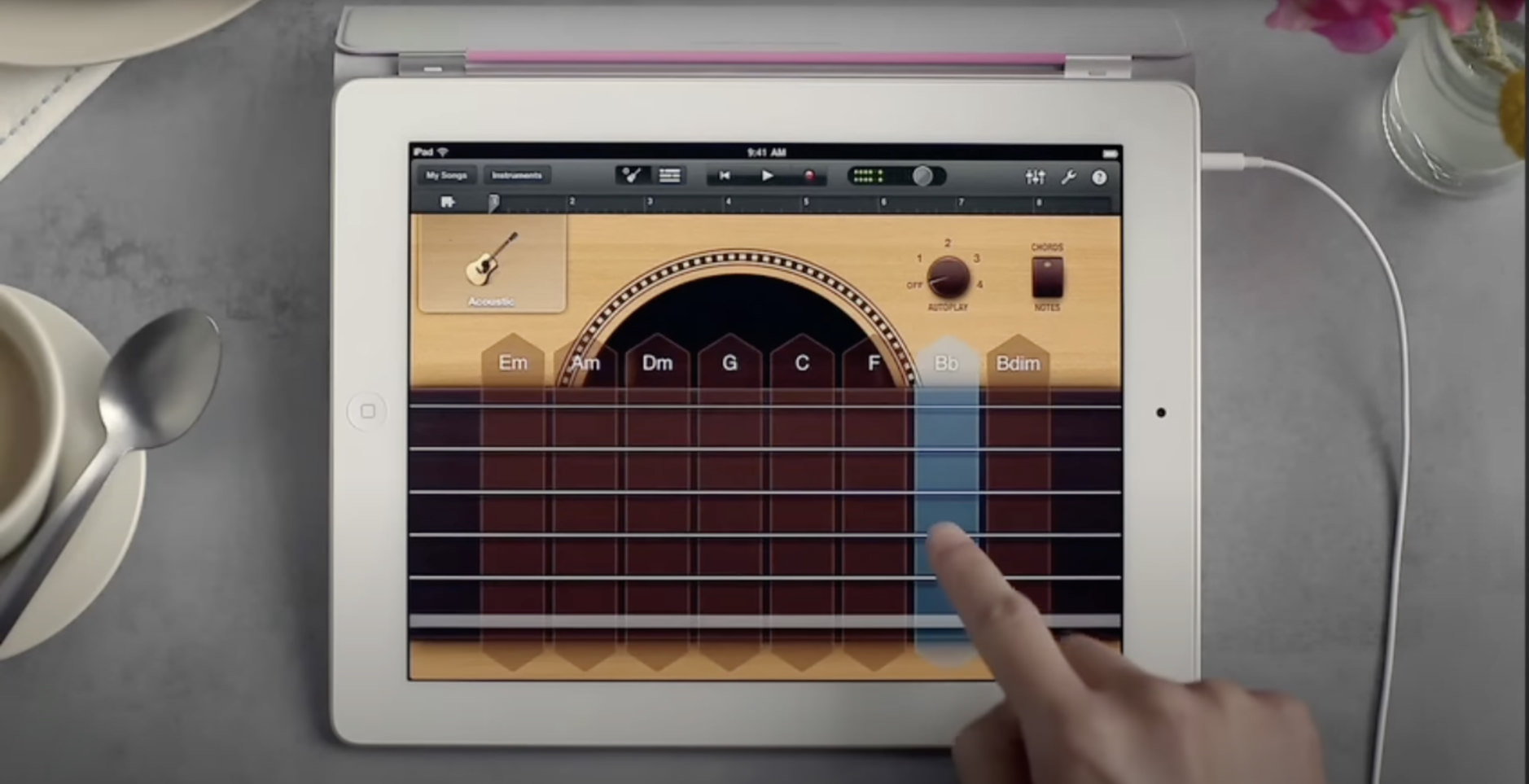
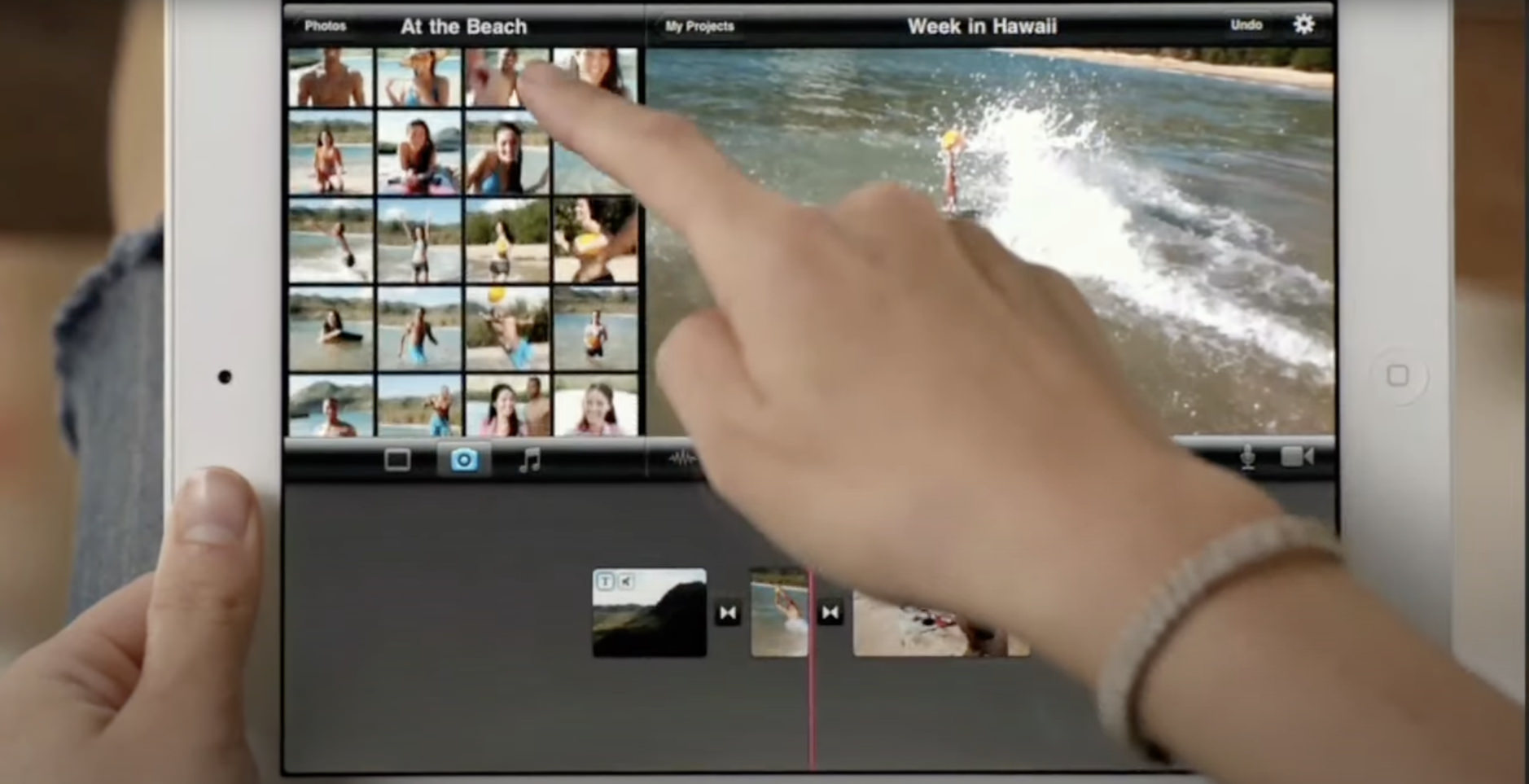
Apple stellt im Zuge der anstehenden iPad-2-Veröffentlichung die Tablet-Apps GarageBand, iMovie und iBooks vor.

Dabei bleibt iBooks (App Store-Link) weiterhin kostenlos und funktioniert auch am iPhone sowie dem iPad der ersten Generation. Die Videoschnitt-Software iMovie wird zur Universal-App (3.99 €; App Store-Link), funktioniert jedoch nicht auf dem letztjährigen iPad. GarageBand wird eine exklusive iPad-2-Software. Update: GarageBand läuft auf beiden iPad-Generationen. Update-Ende

Die Anwendungen sollen ab Freitag im App Store für jeweils $5 US-Dollar zum Kauf stehen.

DirektGarageBand

DirektiMovie

DirektBooks

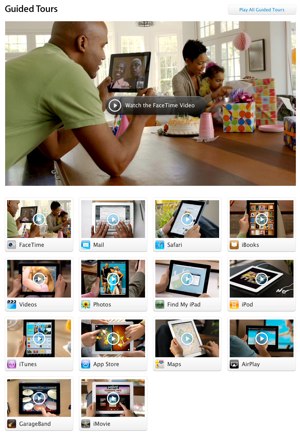
Innerhalb der letzten Minuten tauchen auf Apple.com mehr Videos auf. Diese besprechen die integrierten Apps wie FaceTime, Safari, Mail, Photos, Find My iPad, Videos, den iPod, iTunes oder den App Store.

IPhoneBlog de Guided Tours

-> http://www.apple.com/ipad/guided-tours//

Xcode 4 als Download im Mac App Store

IPhoneBlog de Download Xcode 4

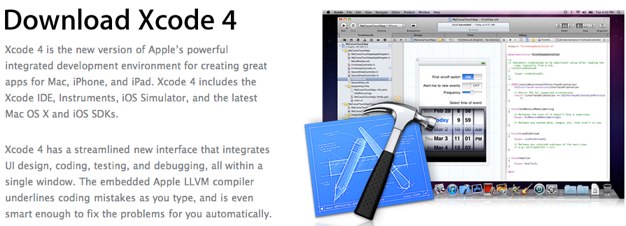
Auch ohne zahlende Entwickler-Mitgliedschaft lässt sich ab sofort die Entwicklungsumgebung Xcode in Version 4.0 für 3.99 € über den Mac App Store (Affiliate-Link) beziehen.

Mit einem kostenloses Profil auf developer.apple.com ist aktuell nur die Vorgänger-Variante in Version 3.2.6 herunterzuladen. Für den Xcode-4-Download verweist die Webseite seit heute auf das (bezahlte) iOS- oder Mac-Developer-Programm sowie den Mac App Store.

If you are not a member of either the Mac or iOS Developer Program, you may purchase Xcode 4 from the Mac App Store for $4.99. If you are registered as an Apple Developer, you can download Xcode 3 for free at http://developer.apple.com/xcode.

IPhoneBlog de Apple Developer Programs

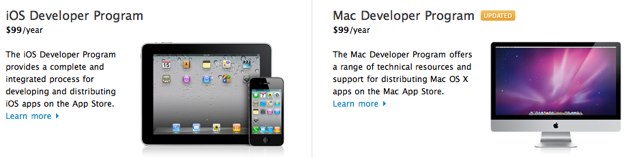
Das iOS- und Mac-Entwicklerprogramm ist für eine Jahresgebühr von $99 US-Dollar zu beziehen und beinhaltet den kostenlosen Xcode-4-Download von der Apple-Webseite.

(Danke, Sebastian!)

Apple veröffentlicht iOS 4.3 für iPhone 4/3GS sowie iPod touch, iPad und Apple TV

IPhoneBlog de 4 3 iTunes

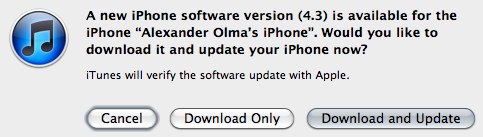
Apple publiziert, zwei Tage vor dem angekündigten Veröffentlichungstermin, dass funktionsbespickte iOS-Update 4.3. Darin enthalten sind unter anderem der ‚Persönliche Hotspot‘, eine stark verbesserte JavaScript-Engine und eine erweiterte AirPlay-Funktionalität. Mit ein wenig Überraschung findet sich auf der zweiten Generation vom Apple TV die Möglichkeit, ein Baseball- oder Basketball-Abo zu konsumieren. Das iPhone 3G fliegt mit diesem Update-Zyklus aus der Aktualisierungskette.

IPhoneBlog de MLB

TiPb bietet einen umfassenden Überblick der einzelnen Neuerungen für iPad und iPhone, denen ich mich nach der Installation – über die unten eingebundenen Direkt-Links oder iTunes – ebenfalls noch annehmen werde. Der jetzt veröffentlichte Build ist identisch zur GM-Version (8F190), die in der letzten Woche an Entwickler verteilt wurde.

4x iPad-Freuden: PhotoSync, Alice in New York, Best Prompter Pro und The History of Jazz

Mit dem bevorstehenden iPad-2-Start rücken erneut dessen Applikationen in den zentralen Mittelpunkt. 65.000 Software-Vertreter soll die App-Store-Bibliothek mittlerweile fassen.

So sicher wie das Amen in der Kirche hagelt es in diesem Zusammenhang bestimmt auch wieder ein paar Stimmen, die dem Tablet ihre ‚Produktivität‘ absprechen wollen. Ein günstiger Zeitpunkt also, diese vier exquisiten Apps aus dem Ärmel zu zaubern.

IPhoneBlog de PhotoSync

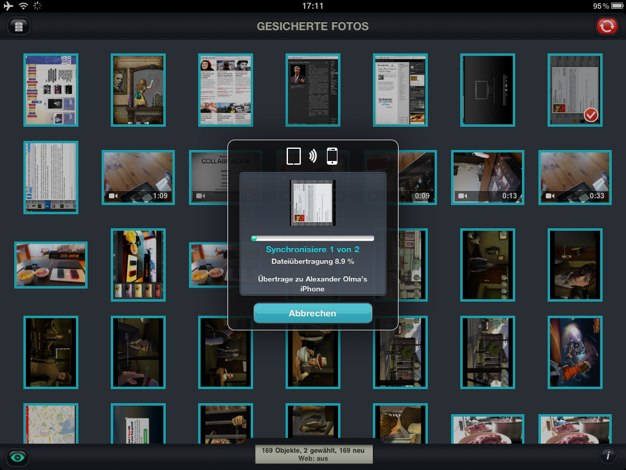
PhotoSync (1.59 €; universal; App Store-Link) tauscht drahtlos aufgenommene Schnappschüsse zwischen iPhone, iPad und Computer aus. Die Universal-App schiebt beispielsweise iPhone-4-Aufnahmen zur Nachbearbeitung an das iPad. Das dauert nicht länger als ein gewöhnlicher Augenaufschlag. Nachdem man am 10-Zoll-Bildschirm die Kräfte seine Schärfe- und Design-Filter ausgespielt hat, ist das Bild innerhalb weniger Sekunden weiter an den Computer übertragen. Ein direkter Import nach Aperture oder iPhoto ist möglich. Auch ein Upload ins Netz lässt sich von dort anstoßen.

Ohne Setup und ohne iTunes ist dies wohl eine der besten Transfer-Möglichkeiten um schnell ein Bild von A nach B zu schicken.


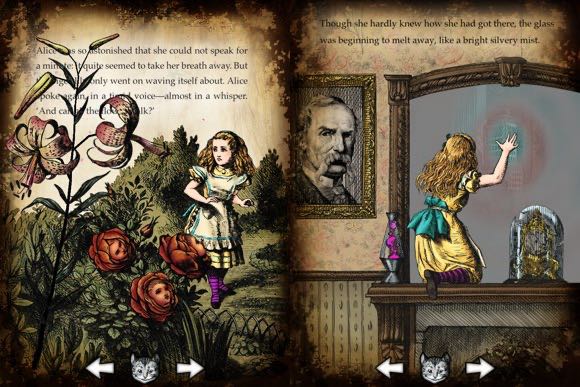
Alice in New York (6.99 €; App Store-Link) schließt mit Humpty Dumpty und Konsorten an den bereits beeindruckenden ersten Teil der animierten Kinder-Lektüre an.

Die Illustrationen der 130 englischsprachigen Buchseiten sind mit 27 interaktiven Elementen und allerlei Audio-Einspielern verziert, die man Kindern und kindgebliebenen Erwachsenen nicht vorenthalten sollte.


IPhoneBlog de Prompter

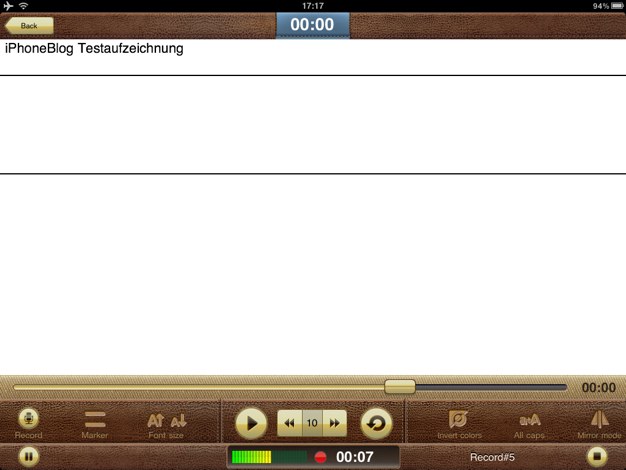
Best Prompter Pro (5.99 €; App Store-Link) ist ein digitaler Teleprompter um sich mit selbstständig fortlaufendem Text durch Vorträge oder Präsentationen zu kämpfen. Mittlerweile gibt es sogar semiprofessionelles Hardware-Equipment, das mit dem iPad zusammenarbeitet. So weit muss man es anfänglich vielleicht nicht treiben.

Trotzdem lassen sich bereits mit dieser preiswerten App-Anschaffung, die in ein sehr praktikables Layout gehüllt ist, Text- und Audio-Aufzeichnungen erstellen, die beim freien Referieren helfen.


IPhoneBlog de Jazz

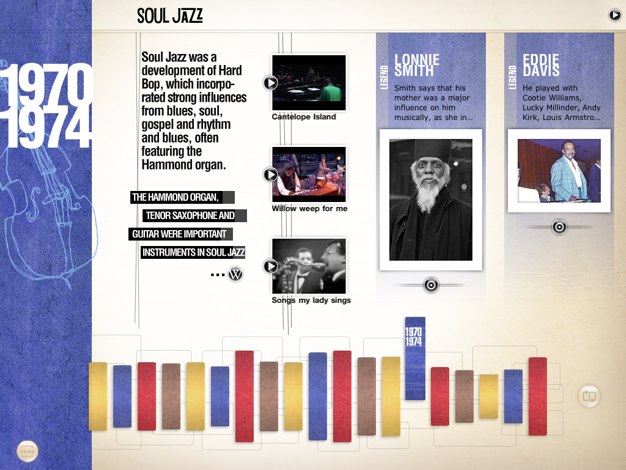
The History of Jazz (7.99 €; App Store-Link) baut für dieses Musik-Genre einen interaktiven Zeitstrahl. Darauf enthalten sind YouTube-Videos, Text- und Bild-Informationen sowie natürlich Audio-Einspieler. Diese können per AirPlay auch an einen Apple TV oder eine Sound-Anlage ausgegeben werden.

Die App beinhaltet neben dem chronologischen Abriss außerdem einen Bildschirmschoner-Modus und direkte iTunes-Link zum Kauf der Stücke. Für Musikliebhaber oder jene, die es noch werden wollen, ersetzt dieses digitale Bilderbuch einen ausschweifenden Archiv-Rundgang.