‚The Guardian‘ als iPad-Edition

DirektGuardian

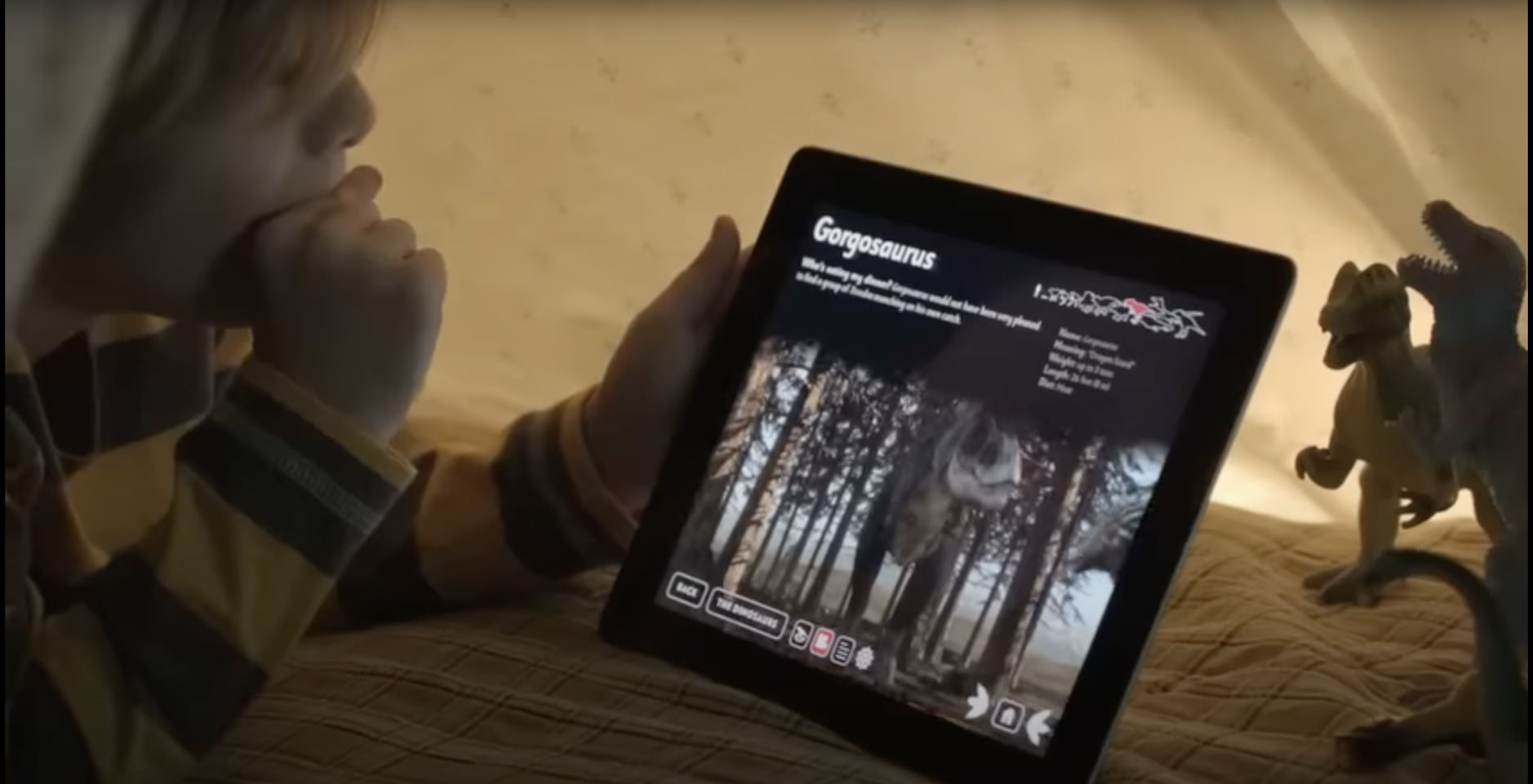
The Guardian (kostenlos; iPad-only; App Store-Link) baut im ‚Windows Phone‘-Kachel-Design eine sehr ansehnliche und gleichzeitig praxistaugliche Zeitungs-App für das iPad.

Mich beeindruckt, wie gut die Anwendung sowohl im Hochformat als auch in der Breitbild-Ansicht funktioniert.

Der Abo-Testlauf ist kostenlos bis zum 13.01.2012 und soll anschließend für sechs wöchentliche Ausgaben zum Monatspreis von £9.99 (zirka 12 Euro) angeboten werden.

The app will not please everyone. We’ve consciously set out, with this version, to deliver the Guardian newspaper edition, something that will work for some of our most loyal and passionate readers. It’s a reflective once-a-day Guardian, designed and edited for iPad.

The Guardian

Nur für Apples A5: Galaxy on Fire 2 HD

DirektFishlabs

Aufbrausende Diskussion um ‚Galaxy on Fire 2 HD‚ (7.99 €; universal; App Store-Link), das exklusiv Apples neuer A5-Prozessor-Generation (am iPad 2 und iPhone 4S) vorbehalten ist.

An der Fishlabs-Produktion aus Hamburg wird in erster Linie fehlendes Antialiasing bemängelt.

Das ist großartig, weil die Ansprüche der Spieler an iOS-Software rasant steigen; lächerlich, weil’s ein weiterhin grandioses Spiel mit signifikanten Neuerungen (überarbeitete 3D-Modelle, OpenGL-Shader, iCloud-Sync, etc.) und atmosphärischer Optik bleibt.

I understand it’s the same game with prettier textures and that is the attraction. At the end of the day, the game is fantastic so why change it. Graphics were good anyway and the chance of getting a HD version with much better visuals is very tempting.

Touch Arcade

iOS-Promo: Box.net verschenkt 50GB

That’s why we’re happy to announce that we’re giving away 50 GB of free storage to anyone who uses a Box Personal account on an iOS device. That’s right, it’s 50 GB in the cloud completely free, forever.

http://blog.box.net

Box.net spendiert 50 GB Online-Speicher auf Lebenszeit, wenn man sich vom iPhone oder iPad (kostenlos; universal; App Store-Link) aus für den Dienst anmeldet.

Das ist ordentlich viel Plattenplatz, vermisst allerdings Dateien, die größer als 100 Megabyte sein dürfen, einen Dropbox-artigen Sync zum Desktop und die iCloud-ähnliche Einbindung in (iOS-)Drittprogramme. Schlicht und ergreifend bleibt es damit: „ordentlich viel Plattenplatz“ – auf den Apps wie AirSharing, GoodReader oder Office 2 HD zugreifen können.

Die identische Promo zog der Filehoster bereits mit HPs TouchPad durch (während seiner lebendigen Monate Wochen). Demnächst sind dann wohl Android und BlackBerry an der Reihe, oder!?

AirPlay Mirroring unter iOS 5 (+ Video)

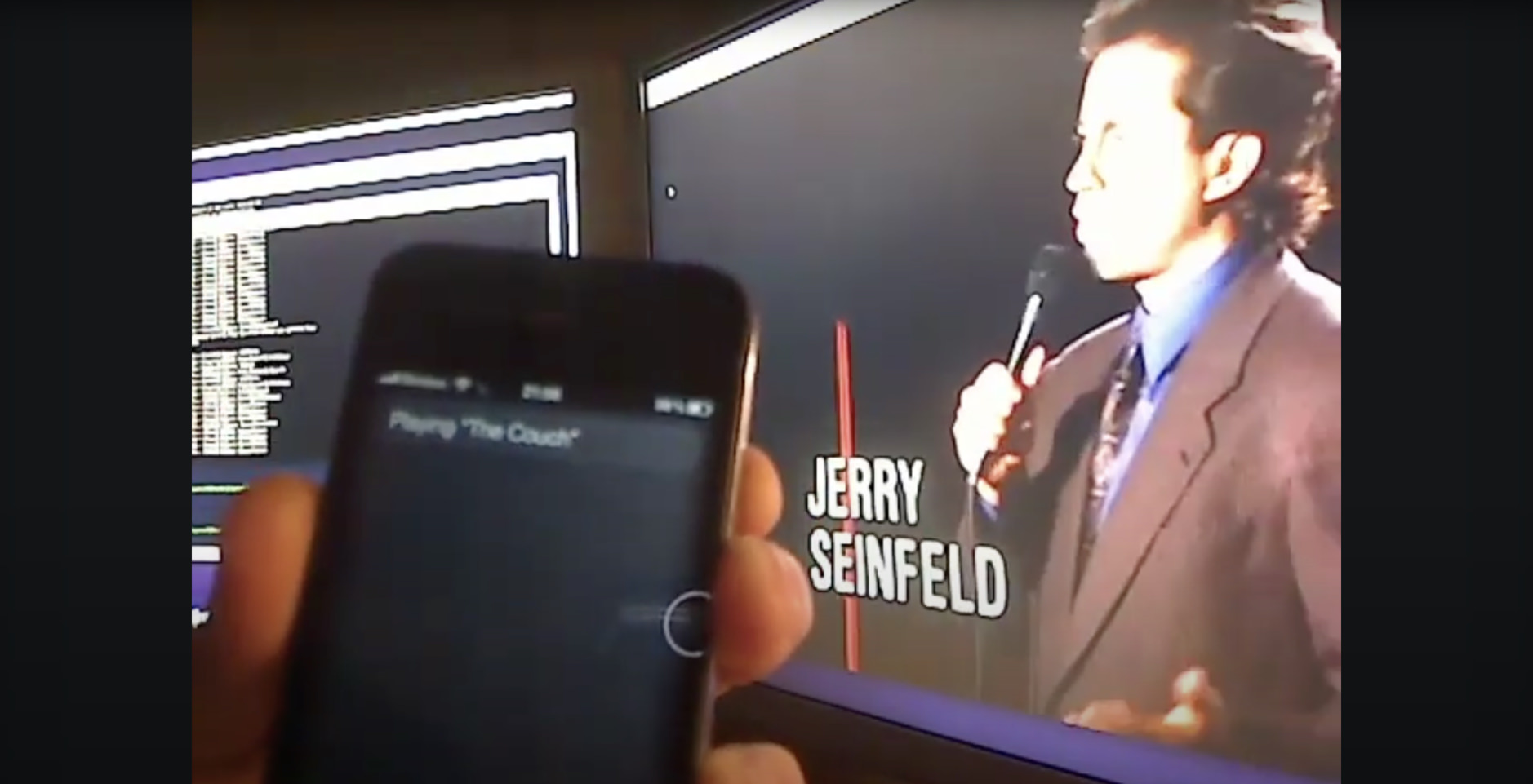
Unter iOS 5 lässt sich vom iPad 2 und iPhone 4S aus der komplette Bildschirm über einen Apple TV (Affiliate-Link) auf den Fernseher werfen. An ‚AirPlay Mirroring‚ wollte ich zur Veröffentlichung der neuen iOS-Version und dem morgigen Release vom neuen iPhone nur noch einmal schnell erinnern – in Bild, Ton aber ohne Kommentar.

DirektAirPlay *

* Alle selbstproduzierten Videos gibt’s auch als iTunes-Podcast. Wer mir ein paar Sekunden Lebenszeit schenkt, vergibt in Apples Podcast-Verzeichnung eine kurze Bewertung. Danke!

Filmtrailer im IP-Zwinger

Apple gießt seine Webseite für Film-Trailer in eine eigenständige App und stellt diese in den US-Store zum Download (Link) – kostenlos, aber regional begrenzt. Warum dem so ist, bleibt Hollywoods Irrsinn Geheimnis.

Nicht, das man einen Mangel an Trailer-Apps beklagen könnte*, aber der Versuch von IP-Schranken ist schon lange nicht mehr zeitgemäß (wenn er es überhaupt jemals war). Ich frage mich erschreckend regelmäßig, wie viele Dauerkarten man wohl für US-Serien in Originalsprache hierzulande verkaufen würde, wenn man sie nur anbieten würde!?

Laut einer aktuellen Meldung verhandelt Apple weiterhin mit der Filmindustrie um Streaming-(Redownload-)Rechte für mobile Gerät. Wahrscheinlich ein äußerst frustrierendes Unterfangen…

Representatives of the iPhone and iPad maker have been meeting with studios to finalize deals that would allow consumers to buy movies through iTunes and access them on any Apple device, according to knowledgeable people who requested anonymity because the discussions are private. The service is expected to launch in late 2011 or early 2012.

via Los Angeles Times

* beispielsweise MovieQuest Pro (2.39 €; universal App Store-Link) oder IMDb (kostenlos; universal; App Store-Link)

Instacast synct Podcast-Abos über iCloud

Instacast (1.59 €; App Store-Link) hat sich mittlerweile auf meiner ersten Homescreen-Seite am iPhone festgesetzt. Die neue Version 1.4 synchronisiert (wie geplant) das abonnierte Podcast-Verzeichnis (nicht die eigentlichen Downloads) sowie den Zählerstand der Abspielpositionen seiner Episoden über iCloud.

This means, you can now finally synchronize your podcasts and playback information with multiple devices or have a backup in case your iPhone destroys itself suddenly.

via Vemedio

iOS 5.0 im Überblick – Download steht bereit

Jede (kleinste) Neuerungen von iOS 5 schlug im letzten Halbjahr die Online-Presse windelweich. Dem möchte ich hier nicht die Krone aufsetzen, sondern zum soeben vollzogenen Release ein paar Highlights herausgreifen. Entwickler mit GM-Version dürfen sich entspannt zurücklehnen: Der vor einer Woche veröffentlichte iOS-Seed (9A334) ist identisch zum jetzigen Build.

Die Aktualisierung erfolgt wie gewohnt über iTunes, die direkten Download-Links der Firmware finden sich hier.

IPhoneBlog de Apple iOS 5

Notification Center

Die ‚Mitteilungszentrale‘ ist eine überfällige Neuerung, die auf Konkurrenz-Systemen schon länger funktioniert. Apples Adaption fällt mit seiner sortierten Aufteilung und dem schnellen Wechsel in die jeweils zuständige App gelungen aus. Die Info-Einblendungen an der oberen Bildschirmhälfte (insbesondere am iPhone!) überlappen mir allerdings zu oft ‚klick-intensive‘ Anwendungen (Tweetbot, Mail, etc.).

Der Standby-Screen als mehrzeiliger News-Ticker ist die beste Neuerung in iOS 5 überhaupt. In der täglichen Praxis rufe ich weniger das Notification Center auf sondern profitiere von den auflaufenden Infos am Ruhebildschirm wenn ich das iPhone einmal nicht verwende.

iMessage

Aus Prinzip sende ich keine nur im Notfall eine SMS. In den Einstellungen lässt sich der kostenpflichtige SMS-Versand für iMessage deaktivieren. Die Auswirkungen dieser Apple-Anwendung lassen sich noch schwer abschätzen und erst richtig beurteilen, wenn die ‚typischen‘ Kurzmitteilungs-Junkies damit beginnen zu ‚texten‘ (…die Telefonrechnung aber preiswerter wird). Mich wundert, dass die Mobilfunkanbieter noch nicht lauter gegen das Feature geklagt haben.

Was jedoch schon jetzt fehlt: ein entsprechendes Desktop-Programm.

Zeitungskiosk

Eine gute Idee, mit verpfuschter Umsetzung. Der ‚Newsstand‘ lässt sich in keinem Ordner verstecken, löschen oder ausblenden. Was auf dem iPad noch verständlich wäre, ist am iPhone leider nur anstrengend.

Erinnerungen

Eine Mini-‚To-Do‘-App, die keinen Omnifocus-Anwender wechseln lässt, aber unbedarfte Nutzer vielleicht auf den Geschmack bringt. Die Geo-Erinnerungen sind ausschließlich nach Adresse (oder Aufenthaltsort) einzustellen. Clever: Im Zusammenhang mit Siri ergibt die ansonsten schmale Aufgaben-Anwendung durchaus Sinn.

Twitter

Nett, um mal ein Bild direkt aus der Foto-App zu veröffentlichen. Aus Perspektive von Anschrift und Telefonnummer wäre ein Facebook-Deal für Apple allerdings wertvoller. Die tiefe Twitter-Integration schadet natürlich nicht, sie bringt aber auch nicht soviel Vorteile wie der sich konstant aktualisierende Adressen-Fundus aus dem Hause Zuckerberg.

Musik / Video

Die Bezeichnung ‚iPod‘, über Jahre Apples wertvollste Marke, stirbt. ‚Musik‘ und ‚Videos‘ laufen ab sofort in eigenständigen Anwendungen und spielen neuerdings während eines iTunes-Syncs weiter. Genau genommen lässt sich das komplette Gerät während dem Abgleich mit eurem Desktop weiter verwenden.

Kamera

Ein Doppel-Tap auf den Home-Button im Standby-Menü führt flink zur nächsten Aufnahme. Fotos knipst man ab sofort (auch) über den Lautstärke-Knopf und hält das Gerät dadurch wesentlich ruhiger. Mit einem schnellen Wisch vom linken zum rechten iPhone-Rand lässt sich der Schnappschuss sofort kontrollieren – eine der wohl praktischsten Neuerungen im Bezug auf Gesten (wenn man sie kennt).

Kalender

Einträge lassen sich in der Tagesansicht per Drag & Drop verschieben. In den Einstellungen können Standard-Benachrichtigung für neue Kalendernotizen gewählt werden.

Safari

Euer mobiler Browser öffnet Webseiten im Hintergrund! Die (Basis-)’Reader‘-Funktion fixt eventuell zum Instapaper-Kauf an.

iCloud

Mein Backup lege ich (vorerst) nicht in die iCloud, weil dessen Speicher zu klein und die Transferzeit zu hoch ist. WiFi-Sync mit iTunes ist jedoch selbstverständlich und großartig.

Andere Kleinigkeiten

Sein iPhone direkt am Gerät umzubenennen, halte ich aus häufiger Verwendung des persönlichen Hotspots für wichtig. ‚Tastatur-Snippets‘, die aus einem ‚MFG‘ ein ‚Mit freundlichen Grüßen‘ machen, sind erstmals (wenn auch nur sehr rudimentär) integriert. Höher aufgelöstes YouTube über UMTS ist angenehm. Das ‚Split-Keyboard‘ am iPad lässt in vielen Situationen einfacher mit zwei Daumen am großen Bildschirm tippen. Delta-Updates von iOS direkt am Gerät herunterzulassen und einzuspielen macht die Welt ein kleines bisschen unabhängiger von iTunes.

FaceTime-Anrufe können ab sofort auch ohne Simkarte initiiert werden. Den Wunsch nach Tab-Browsing am iPad kann ich nachempfinden, finde Apples (Design-)Ansatz jedoch nicht gelungen. AirPlay Mirroring für das iPad 2 und iPhone 4S ist (bekanntlich) bombastisch.

IPhoneBlog de Apple compatible

Soweit meine (unvollständige) Liste der Neuerungen. Ergänzend kann die ‚iOS version history‚ oder diese ungefilterte Aufstellung empfohlen werden. iOS 5 ist ein kostenloser Download für das iPhone 3GS, 4, 4S, iPad 1 + 2 sowie die dritte und vierte iPod touch Generation.

Die ersten Testberichte zum iPhone 4S

Neben Spiegel Online und Heise.de lieferten auch die US-Medien (gesammelt) am heutigen Morgen ihre Testberichte zum iPhone 4S ab. Hier sind meine herausgegriffenen Highlights dieser Artikel.

The Guardian

  • Even better, it [Siri] senses when you bring your device to your ear so you can talk to it as if you’re on the phone to someone, rather than having to endure the embarrassment of yelling at it at arms length.
  • Once again Apple is taking a lead and asking a lot of its competitors. I wish those competitors luck, for the better all smartphones are, the happier I am.

by Stephen Fry

The New York Times

  • It would be great if you could open an app by voice (“Open Angry Birds”) instead of hunting through 11 screens, or turn on Airplane Mode by voice, or display a certain set of photos.
  • But already, Siri saves time, fumbling and distraction, and profoundly changes the definition of “phone.” I find myself using certain commands constantly […].
  • There are some rough spots here and there; for example, every now and then the 4S’s camera app gets stuck on its startup screen. And while the battery still gets you through one full day, standby time is shorter than before (200 hours versus 300). But over all, Apple has done an excellent job.
  • The question isn’t what’s in a name — it’s what’s in a phone. And the answer is: “A lot of amazing technology. And some of it feels like magic.”

by David Pogue

TechCrunch

  • The point is, the “S” can stand for any number of things depending on who is using the device. Here’s all I know for certain: this is the best iPhone yet.
  • At first glance, the speed difference may seem subtle. But over time, it adds up and becomes apparent. I would switch back to my iPhone 4 and get frustrated by the lag.
  • If the point-and-shoot market wasn’t in trouble before, it will be now.
  • Others, like Google’s voice services built into Android, are decent. Siri is great.
  • I think this is a feature that will sell the device. And I think all of Apple’s rivals will have to act quickly to counter it.
  • Further, I do believe Siri has a real shot at disrupting the stranglehold Google has on mobile search. No one is going to beat Google at their own game, but with Siri, Apple has a way to change the game.
  • If you’ve had an iPhone 3GS and have been waiting a couple years for the next iPhone to come out, now’s the time to upgrade. If you’re worried just because this is not called the “iPhone 5″ , you’re being foolish.

by MG Siegler

The Verge

  • That said, the iPhone 4 design does stand the test of time (or 16 months in this case). Compared with most (if not all) of its Android competition, this industrial design looms tall.
  • The device has 512 MB of RAM onboard, which came as a bit of a surprise considering that’s the same number as the iPad 2 and original iPhone 4.
  • The macro focus on the lens was particularly impressive, allowing me to grab subjects (including really gross insects) at extremely close ranges.
  • The 4S is more than capable of going through a full business day without needing a charge, and if you’re a lighter user, you’ll rarely have to worry about it.
  • If you’re a BlackBerry user who’s been reluctant to leave because of BBM, this [iMessage] may be the piece that pushes you over the edge.
  • The software [Siri] even has a good sense of humor. Asking it “what is the meaning of life?” will bring up a number of responses, both serious and not so serious. The first time I asked, Siri simply said “42.”
  • Spending a week with Apple’s newest phone, I’m reminded again of just what makes the company’s products so special. It’s not specs, services, or apps. This phone is not perfect. Certainly it can be improved. But there is something here, beyond the screen and CPU, beyond iCloud, something under the surface. Some intangible spark.

DirektVerge

by Joshua Topolsky

AllThingsD

  • My advice is that owners of the iPhone 4 needn’t rush to upgrade; they can get the new operating system. But owners of older iPhone models, or those with basic phones, will find this latest iPhone a pleasure and a good value.
  • When combined with the new software feature that allows editing right on the phone, the iPhone 4S offers a camera experience I find unmatched on any other phone.

by Walt Mossberg

Wired

  • To give you an idea of how convenient Siri is, it takes about three seconds to create a reminder with a voice command, as opposed to the 10 seconds it takes me to manually type an event into a to-do list or calendar entry.
  • It’s kind of like having the unpaid intern of my dreams at my beck and call, organizing my life for me. I think Siri on the iPhone is a life changer, and this is only the beginning.

by Brian X. Chen

The Loop

  • Jim: That’s nice. I’m glad you know I love you. Siri: All you need is love. And your iPhone
  • Apple has given the iPhone the ability to intelligently switch between the antennas to ensure better call quality. […] To be perfectly clear — this is an Apple-only technology. While other companies can receive on dual antennas, no other company can transmit and receive on dual GSM or CDMA antennas.
  • When you put them all together in one product like the iPhone 4S, you have an incredibly successful product that other companies just can’t compete with.

by Jim Dalrymple

USA Today

  • Apple concedes that Siri isn’t a finished product; she is in beta. But even with her blemishes, Siri is pretty darn cool. And she helps make the iPhone 4S pretty darn cool, too.

by Edward C. Baig

SlashGear

  • Nonetheless, it’s a groundbreaking combination of apps and services. Siri is legitimately magical, a feature so unique to iPhone 4S that users will jump platform in order to have.
  • Apple’s digital image stabilization does a great job of smoothing things, though, without leaving things over-processed.
  • Throw in limited global LTE coverage and Apple’s mass market target audience and that’s a compelling argument to wait until fourth-gen wireless matures.
  • There will undoubtedly be smartphones with faster processors, or more megapixels to their cameras, or high-speed 4G connectivity, or bigger, better resolution displays, but it’s difficult to imagine any of them competing with the joined-up ecosystem Apple now offers.

by Vincent Nguyen

Bloomberg

  • There’s no way to tell the difference between Apple’s new iPhone 4S and the previous model. Until you turn it on.
  • And then there’s this: The 4S is the first phone you’ll ever be tempted to ask for the secret of life. Go ahead — you’ll get an answer, too. It isn’t from “Star Trek,” though science-fiction readers will recognize, and get a chuckle from, the response.

by Rich Jaroslovsky

Daring Fireball

  • Even if Siri is never opened up to App Store apps, though, there’s clearly a sense when you use it that Apple is only just getting started with this.
  • I wouldn’t say I can’t live without Siri. But I can say that I don’t want to.
  • The cynical answer, of course, would be that Apple is withholding it from other iOS devices in order to spur additional upgrades to the iPhone 4S. […] If Siri is any less accurate on older iOS devices than it is on the 4S, Apple isn’t going to allow it.
  • The most profound difference between the 4S and 4 cameras has nothing to do with image quality. It’s that you don’t have to wait nearly as long.
  • The one and only disappointment I have with the iPhone 4S is that the shutdown spinner animation is still low-res. That’s pretty low on the list of nits to pick.

by John Gruber